

Fixing incorrect Australian business directory listings is important for your local SEO.Business directory listings help customers find important information about a company. They can show a business address, phone number, website, opening hours, and services. However, this information is not always correct across every platform.
For example, Google may show a new business address while Yellow Pages still displays the old one. Yelp may have an outdated phone number, or Apple Maps may show incorrect opening hours.
These mistakes can confuse customers and make it harder for them to contact a business. In this guide, I will explain how to find incorrect Australian business directory listings, correct outdated information, remove duplicates, and keep business details accurate across different platforms.
In this guide, we will show you how to fix incorrect Australian business listings step by step.
Why Are Australian Business Directory Listings Incorrect?
Incorrect business directory listings can create confusion for customers. A customer may find an old phone number, visit the wrong address, or see business hours that are no longer correct. I recommend finding the reason behind these errors before making any changes.
Outdated Addresses, Phone Numbers, and Business Hours
Business information can become outdated when a company moves, changes its phone number, or updates its opening hours. However, not every directory updates these details automatically.
For example, Google Business Profile may show a new address while Yellow Pages or other Australian directories still display the old one. This can make it harder for customers to contact or visit the business.
Duplicate Listings and Unclaimed Profiles
Sometimes, the same business appears more than once in a directory. This can happen when someone creates a new listing instead of updating an existing one.
Unclaimed profiles can also contain old or incorrect details because the business owner has not verified or taken control of the listing.
Business Information Changes
Businesses often change their names, websites, contact details, or services. If these changes are not shared across all directories, customers may find different information on different websites.
I recommend keeping one accurate record of your business details. This makes it easier to update each directory and maintain consistent business information.
This is the first step to fix incorrect Australian business listings.
How to Find Incorrect Business Directory Listings

Before correcting any business information, I recommend checking where the errors appear. A business may have correct details on one website but outdated information on several others. A simple search can help identify these problems.
Search Business Name, Address, and Phone Number
I start by searching for the exact business name on Google. Then I check its address and phone number separately.
I also search using:
- Business name with its suburb or city.
- Old business address.
- Current and previous phone numbers.
- Business name with the word “directory”.
These searches can help me find listings that may not appear on the first page of search results.
Check Google Business Profile and Australian Directories
Next, I compare the information across major business platforms. I check Google Business Profile, Yellow Pages Australia, True Local, and other relevant directories.
I compare these details:
- Business name and address.
- Phone number and website.
- Opening hours.
- Services and business category.
I use the business’s current records as the main reference when checking these details.
Identify Outdated and Duplicate Information
Finally, I make a list of every listing that contains incorrect information. I mark outdated addresses, old phone numbers, wrong opening hours, and duplicate profiles.
I also record the directory name and listing URL. This helps me track which listings need correction and which ones have already been updated.
Keeping this list makes the correction process easier and reduces the chance of missing an important directory.
How to Fix Incorrect Australian Business Directory Listings
Once I find incorrect business information, I can start correcting it. I recommend fixing the main business details first and then checking each directory to make sure the changes are correct.
Claim and Verify Business Profiles
First, I check whether I own or manage the business profiles. If a listing is unclaimed, I follow the directory’s process to claim it.
Some platforms may ask me to verify the business through a phone call, email, video, or another method. I complete the required steps before requesting changes.
Correct My Business Name and Address
Next, I check the business name and address against official business records. I make sure the name is correct and the address matches the current business location.
If the business has moved, I update the new address instead of creating another listing. I also check that the suburb, state, and postcode are correct.
Update Phone Numbers, Opening Hours, and Website Links
I then check the remaining contact details. An incorrect phone number or website link can stop customers from reaching the business.
I update:
- Current business phone number.
- Regular opening and closing hours.
- Website address.
- Business category and services.
I also check special opening hours for public holidays when the directory supports them.
Submit Changes and Check for Approval
After making the corrections, I submit the changes and wait for the directory to review them. Some platforms may ask for additional verification before publishing updates.
I do not assume that a submitted change has already been approved. I revisit the listing to check whether the new information is visible. If the old details remain, I follow up through the platform’s official support channel.
Many people ignore incorrect Australian business listings, but it hurts their local SEO.
How to Update Business Information on Major Australian Directories

I recommend updating business information directly through each directory’s official website or business account. The steps may differ, but most platforms allow business owners to manage or request changes to their listings.
Google Business Profile
I first check my Google Business Profile. After signing in to the account that manages the profile, I select Edit Profile and update the business name, address, phone number, website, or opening hours.
I then save the changes and check whether Google has approved them. I also review Google’s official instructions before making major changes.
Yellow Pages Australia
For Yellow Pages Australia, I check my myYellow account and look for the business listing management options. From there, I can review my business details and request corrections if needed.
If I cannot edit the listing, I contact Yellow Pages support and provide the correct business information.
True Local
I search for my business on True Local and check whether I can access its existing listing through the available business management options.
If I cannot edit the details, I contact True Local support and request a correction. I provide the correct business information and the listing URL to help identify the profile.
Hot frog Australia
I search for my business on Hot frog and check whether I can claim or manage its existing listing. If I have access, I review the contact details, address, website, and business description.
If I cannot make the changes, I contact the platform for help.
Bing Places and Apple Business Connect
I use Bing Places for Business to claim or update my business listing on Bing Maps. I sign in, find my business profile, and correct any outdated information.
For Apple Maps, I use Apple Business Connect to manage my business information. I check the location details and contact information and submit the required updates through my business account.
I recommend checking each listing again after submitting changes. This helps me confirm that customers can see the correct business information.
When you regularly check incorrect Australian business listings, your business stays trusted.
How to Remove Duplicate Business Listings
Duplicate business listings can confuse customers and show different information about the same company. They may also make it harder for customers to find the correct business profile. I recommend checking for duplicates before creating a new listing.
Find Duplicate Profiles
I search for my business name, address, and phone number across major Australian directories. I look for profiles that show the same business but contain different or outdated details.
I also check whether the business has more than one profile on the same platform.
Report or Request Removal
If I find a duplicate listing, I check the directory’s rules for reporting it. I use the official support or business management options to request its removal.
I provide the URLs of both listings and explain which one contains the correct business information. Some directories may ask me to verify that I own or manage the business.
Merge Listings When Appropriate
In some cases, merging two profiles may be better than removing one. This can help keep useful business information in one place.
However, I do not request a merge unless the directory supports it and both profiles belong to the same business. I check the platform’s instructions before taking action.
How Service-Area Businesses Can Correct Their Listings
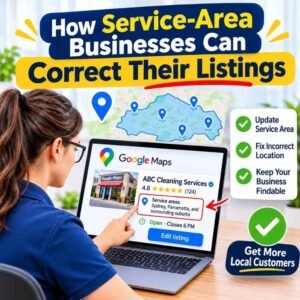
Some businesses serve customers at their homes or workplaces instead of operating from a public shop or office. Examples include plumbers, cleaners, electricians, and mobile service providers. These businesses need to show accurate service information without sharing a private address.
Update Service Areas
I recommend checking the service areas shown on each business directory. If a business serves several suburbs or cities, I make sure the listed areas match the locations where it actually provides services.
I also avoid adding locations that the business does not serve. This helps customers understand where they can get the service.
Hide Residential or Private Addresses Where Supported
If a business operates from home and does not serve customers at that address, I check whether the directory allows the physical address to be hidden.
For example, Google Business Profile allows eligible service-area businesses to hide their address and display their service areas instead. However, other directories may have different rules.
I always check the platform’s guidelines before changing address visibility.
Keep Contact Information Consistent
Even if a business does not display its physical address, I make sure its other details remain accurate.
I check the business name, phone number, website, opening hours, and service areas across all directories. This helps customers find the right contact information and understand where the business operates.
How to Manage Multiple Business Listings
Managing several business directories manually can take time. If I update my business address or phone number, I may need to make the same change on different websites. I can manage this work myself or use a listing management tool or professional service.
Manual Updates vs Listing Management Tools
I can update each business directory manually by signing in to its website and editing the listing. This can work well for a business with only a few profiles.
However, when a business appears on many directories, a listing management tool can make the process easier. Some tools allow me to manage business details from one place, find incorrect information, and track listing updates.
Business Listing Management Costs in Australia
The cost depends on the number of business locations, directories, and services I need.
Some providers charge a monthly or yearly fee, while others charge for one-time listing audits and correction work. The final price may also depend on whether I need duplicate removal, ongoing monitoring, or help with several business locations.
Before choosing a service, I check what the price includes. I also ask about extra fees, ongoing charges, duplicate removal, and reporting.
When Should I Hire a Local SEO Professional?
If I have many incorrect listings or cannot update them myself, hiring a local SEO professional may be helpful.
Before choosing a provider, I check whether they offer:
- A full business listing audit.
- Correction of outdated business details.
- Duplicate listing checks.
- NAP consistency checks.
- A report showing completed and pending updates.
I also ask whether I will keep access to my business accounts. I avoid providers who promise guaranteed search rankings or demand payment without explaining their work.
How to Keep Business Information Accurate
Fixing incorrect business listings is only the first step. I also need to check them regularly to make sure the information stays correct. A simple routine can help prevent old details from appearing across different directories.
- Check Listings Regularly: I review my business profiles every month to find incorrect addresses, phone numbers, opening hours, or website links.
- Update Directories After Business Changes: Whenever my business moves, changes its phone number, or updates its services, I update the information across all relevant directories.
- Maintain NAP Consistency: I keep my business name, address, and phone number consistent across directories. If my business does not display a physical address, I follow each platform’s service-area rules.
- Track Listing Changes: I keep a simple record of directory names, listing URLs, correction dates, and update status. This helps me identify which listings still need attention.
By following these steps, I can reduce outdated information and make it easier for customers to find and contact my business.
So, fixing incorrect Australian business listings is very important for your business growth.
Frequently Asked Questions
How Long Does It Take to Fix an Incorrect Business Listing?
The time depends on the directory and the type of correction. Some platforms review changes quickly, while others may require additional business verification. I recommend checking the listing regularly until the corrected information appears.
Can I Update Multiple Directories at Once?
Yes, some listing management tools allow me to update business information across multiple directories from one place. However, not every directory supports automatic updates. I may still need to make some changes manually.
Do Incorrect Business Listings Affect Local SEO?
Incorrect business information can create confusion for customers and make it harder for them to confirm which details are correct. Consistent business information across relevant directories supports a clear online presence. However, correcting listings alone does not guarantee higher local search rankings.
How Do I Correct an Old Business Address?
I first claim or access the existing business listing. Then, I replace the old address with the correct one and submit the change for review. I repeat this process across other directories where the old address still appears.
How Often Should I Check My Business Listings?
I recommend checking business listings at least once a month. I also review them whenever my business changes its address, phone number, opening hours, or services. Regular checks help me find and correct errors before they cause further confusion.
Learn more about Google Business profile and check our Local SEO Service for more help.