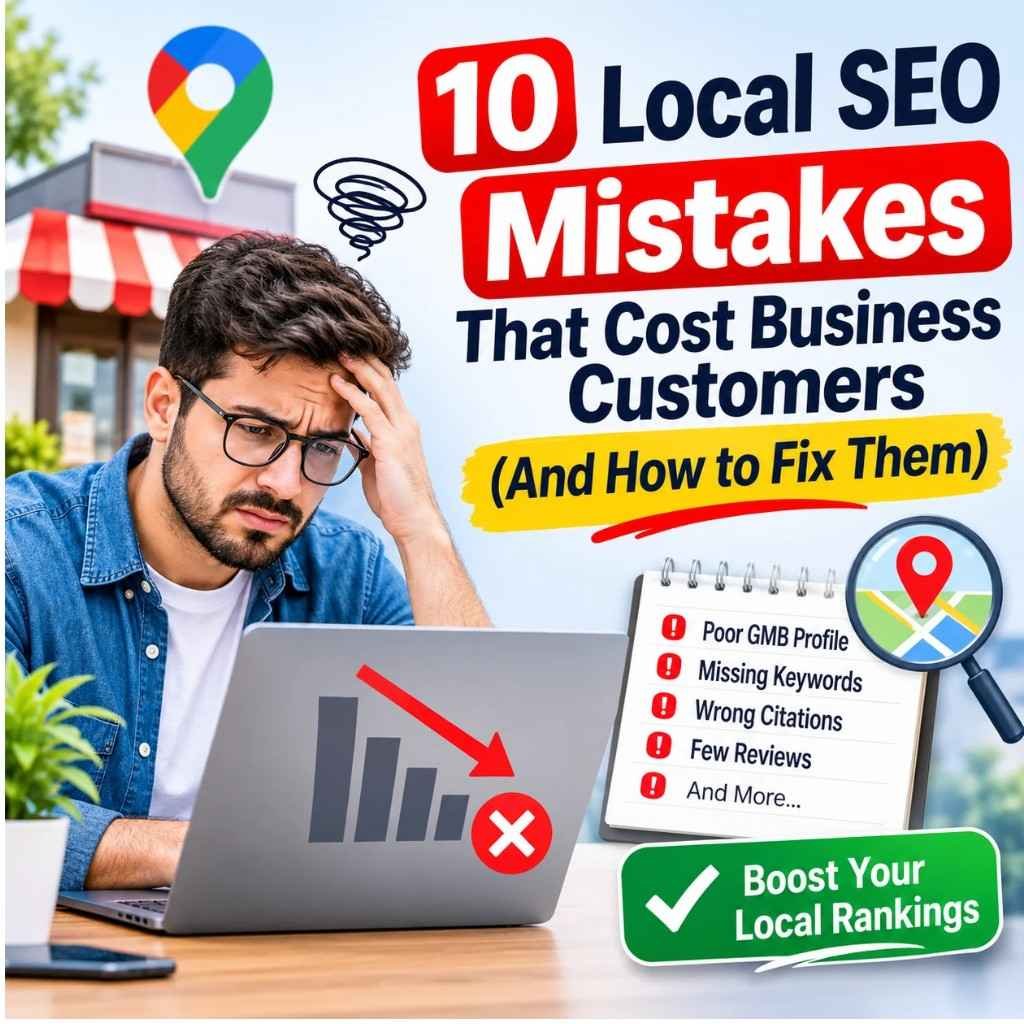
Local SEO helps nearby customers find businesses on Google Search and Google Maps. But simple local SEO mistakes can make it harder for people to find your services, call your business, or visit your location.
For example, someone searching for “plumber near me” may choose a competitor if your business information is missing or incorrect.
The good news is that many common local SEO mistakes are easy to identify and fix. In this guide, I’ll explain 10 mistakes that can cost businesses customers, why they matter, and the practical steps I would take to avoid them.
How Local SEO Mistakes Can Cost You Customers
Local SEO mistakes can stop nearby customers from finding your business on Google Search and Google Maps. When your business information is wrong, your website is hard to use, or your Google Business Profile is incomplete, potential customers may choose a competitor instead.
For example, if someone searches for “plumber near me” but your business does not appear in the local search results, you could miss a call or booking.
I would focus on fixing problems that affect both local visibility and customer trust. Common issues include:
- Incorrect business details: Wrong phone numbers, addresses, or opening hours can lead to missed customers.
- Poor Google Business Profile: Missing or outdated details can make it harder for customers to find useful information.
- Ignoring customer reviews: Unanswered complaints may reduce trust in your business.
- Slow mobile website: Visitors may leave before calling or booking.
- Wrong local keywords: Your website may attract visitors who are not looking for your services.
Fixing these local SEO problems can make it easier for nearby customers to find, contact, and choose your business. However, better rankings and more sales are not guaranteed.
10 Common Local SEO Mistakes I Would Avoid

Small businesses often lose potential customers because of simple local SEO mistakes. I would check these 10 common problems and fix the ones that make it harder for people to find or contact my business.
1. Not Optimizing Your Google Business Profile
An incomplete Google Business Profile can make it harder for nearby customers to learn about your business. Missing hours, services, or contact details may cause people to choose another company.
How I would fix it:
- Complete my Google Business Profile with accurate details.
- Choose the most relevant business category.
- Add real business photos, services, and updated opening hours.
2. Using Incorrect Business Information (NAP)
NAP stands for Name, Address, and Phone Number. If these details are wrong or outdated, customers may call the wrong number or visit an old location.
How I would fix it:
- Check my business name, address, and phone number.
- Correct outdated details on important local citations and directories.
- Keep my contact information accurate across my website and business listings.
3. Ignoring Customer Reviews
Customer reviews help people decide whether to trust a local business. Ignoring negative reviews or failing to respond to customer concerns can hurt that trust.
How I would fix it:
- Ask real customers for honest reviews.
- Respond politely to positive and negative feedback.
- Never buy fake reviews or offer rewards in exchange for reviews.
4. Targeting the Wrong Local Keywords
Using broad keywords may bring visitors who are not looking for services in my area. This can result in website traffic without useful leads.
How I would fix it:
- Research local keywords that match my services.
- Use natural search phrases like “roof repair in Dallas.”
- Add relevant location terms to service pages without keyword stuffing.
5. Missing Location-Specific Pages
If my business serves several areas but my website does not explain where I work, customers may struggle to find the right service information.
How I would fix it:
- Create useful pages for locations I actually serve.
- Include local services, contact details, and helpful information.
- Avoid copying the same content across multiple city pages.
6. Having a Slow or Non-Mobile-Friendly Website
Many customers search for local services on their phones. A slow website, tiny text, or hard-to-use buttons can make visitors leave before contacting the business.
How I would fix it:
- Test my website on a mobile phone.
- Compress large images and remove unnecessary scripts.
- Make phone numbers, menus, and booking buttons easy to use.
7. Ignoring Local Citations and Backlinks
Local citations are online mentions of business details. Local backlinks are links from other websites to mine. Missing useful listings or relevant links can limit opportunities for customers to discover my business.
How I would fix it:
- List my business in trusted, relevant directories.
- Fix incorrect citations.
- Earn local backlinks through genuine community partnerships and useful content.
8. Making It Hard for Customers to Contact You
Even if my website appears in local search results, I can lose customers if they cannot find my phone number, address, or booking option.
How I would fix it:
- Display my phone number and contact details clearly.
- Add a simple contact or booking form.
- Make important contact buttons easy to find on mobile devices.
9. Overlooking Basic On-Page SEO
Missing page titles, unclear headings, and weak service descriptions can make it harder for search engines and customers to understand what my business offers.
How I would fix it:
- Write clear, unique title tags for important pages.
- Use descriptive H1 and H2 headings.
- Add useful service details and internal links to related pages.
10. Not Tracking Local SEO Results and Leads
Without tracking results, I may not know whether my local SEO efforts bring real customers. Website traffic alone does not show how many people call, book, or request a quote.
How I would fix it:
- Use Google Search Console to check search clicks and impressions.
- Review Google Business Profile performance.
- Track calls, contact form submissions, and bookings where possible.
By fixing these common local SEO mistakes, I can make it easier for nearby customers to find my business and take action. I would focus on accurate information, a useful website, and simple ways for customers to get in touch.
Why Is My Business Not Showing on Google Maps?
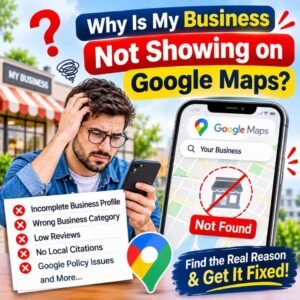
If my business is not showing on Google Maps, I would first check my Google Business Profile. An incomplete, unverified, or suspended profile may prevent customers from finding my business.
Google mainly uses three factors to rank local businesses:
- Relevance: How well my business matches what someone searches for.
- Distance: How far my business is from the person searching.
- Prominence: How well-known and trusted my business appears to be, based on signals such as reviews and links.
To identify the problem, I would:
- Check whether my Google Business Profile is verified and visible.
- Confirm that my business name, address, phone number, and hours are correct.
- Choose the most accurate business category.
- Check whether my website clearly explains my services and service areas.
- Review customer feedback and keep my profile updated.
I would also search for my business name on Google Maps. If it appears for its name but not for searches like “electrician near me,” the problem may be local competition, relevance, or distance rather than a missing listing.
I would not expect instant ranking improvements. Fixing these local SEO problems can improve my business information and visibility, but Google does not guarantee a specific ranking.
Which Local SEO Mistakes Should I Fix First?

I would fix local SEO mistakes that stop customers from finding or contacting my business before working on smaller SEO issues. Not every problem has the same impact.
Here is the order I would follow:
- Fix incorrect business information: Make sure my business name, address, phone number, and opening hours are accurate.
- Improve my Google Business Profile: Check verification, choose the right category, and complete missing details.
- Make my website mobile-friendly: Ensure visitors can easily call, book, or request a quote.
- Address customer reviews: Respond to feedback and encourage honest reviews from real customers.
- Improve local keywords and service pages: Help nearby customers find the services they need.
- Track leads and results: Use Google Search Console and Google Business Profile performance data to see what needs improvement.
My priority would be fixing problems that directly cost me customers. Once those issues are resolved, I would focus on improving local search visibility through useful content, accurate local citations, and relevant backlinks.
Frequently Asked Questions
What Are the Biggest Local SEO Mistakes for Small Businesses?
The biggest local SEO mistakes include an incomplete Google Business Profile, incorrect business information, ignoring customer reviews, and targeting the wrong local keywords. I would fix these issues first because they can make it harder for nearby customers to find and contact my business.
Can Incorrect Business Information Hurt My Local Rankings?
Yes, incorrect business information can affect local visibility and customer trust. Wrong addresses, phone numbers, or opening hours may confuse customers. I would keep my name, address, and phone number (NAP) accurate across my website, Google Business Profile, and important local directories.
Why Is My Website Getting Traffic but No Customers?
My website may attract visitors who are not looking for my services or are outside my service area. Poor mobile design, unclear service details, and missing contact buttons can also reduce leads. I would check my local keywords, improve service pages, and make contacting my business easier.
How Long Does It Take to Fix Local SEO Problems?
Simple local SEO mistakes, such as incorrect phone numbers or missing business hours, may take only a few minutes to correct. However, Google may need time to review and display updates. Improvements in Google Maps rankings and local search traffic can take weeks or longer, depending on competition and the problems being fixed. There is no guaranteed timeline.
Learn more about Google Business Profile and check our Local SEO Service for more help.