Why Measuring Local SEO Results Matters
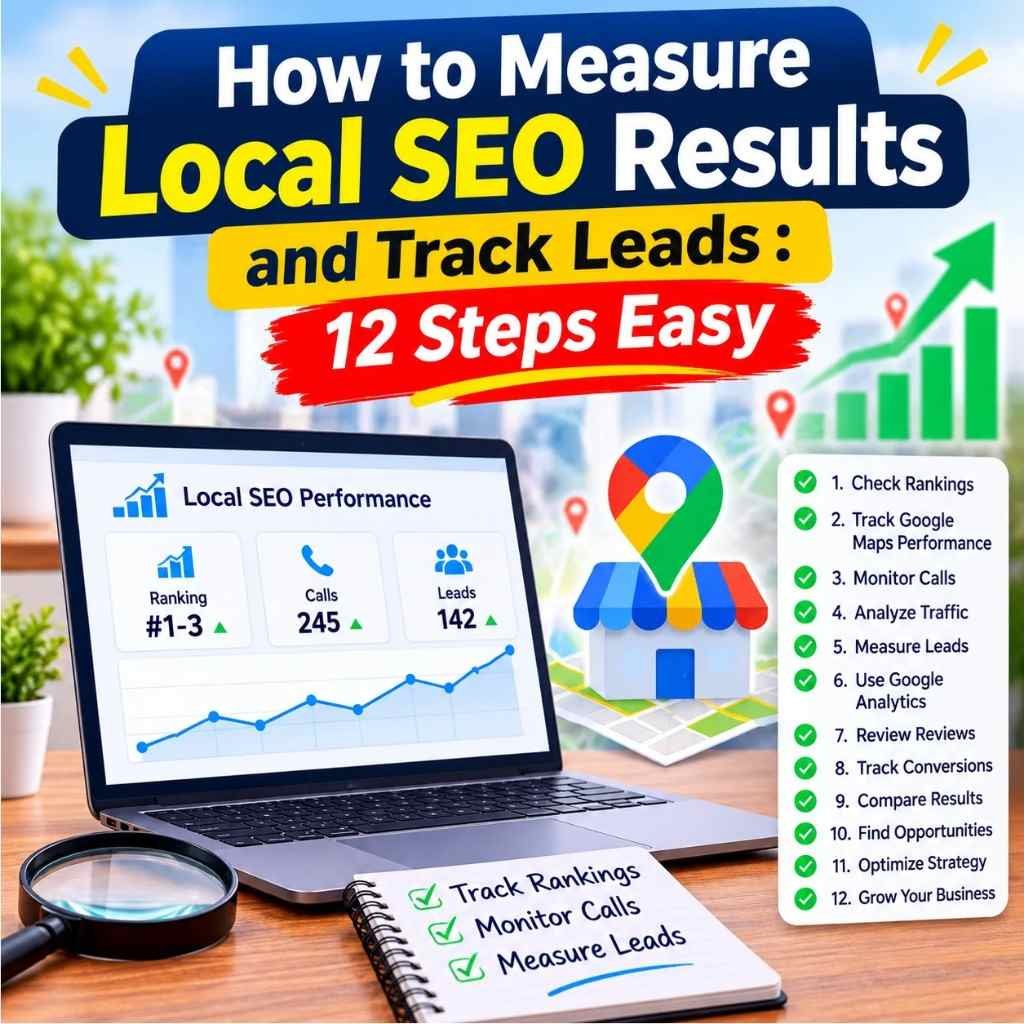
Local SEO tracking helps businesses measure search rankings, monitor Google Maps performance, track customer calls, and understand how many leads come from local search efforts. I measure Local SEO results to understand whether a business is getting more visibility and attracting potential customers from local searches. Higher Google rankings are useful, but they don’t always mean more calls or new customers.
For example, a plumber in Stamford, CT, may rank well on Google Maps but receive very few service inquiries. I need to check more than rankings to understand what is actually working.
I focus on three main areas:
- Search visibility: Is the business appearing in Google Search and Google Maps for relevant local keywords?
- Customer actions: Are people visiting the website, clicking the phone number, or requesting directions?
- Leads and sales: Are those visitors contacting the business, booking appointments, and becoming paying customers?
I also compare these results over time to see whether the Local SEO campaign is improving.
By tracking rankings, website traffic, Google Business Profile activity, and leads together, I can understand which parts of the campaign are working and where improvements are needed.
My goal is not just to improve search rankings. I want to know whether Local SEO is bringing qualified leads and helping the business gain more customers.
Track Local Keyword and Google Maps Rankings
I track local keyword rankings to see where a business appears in Google Search and Google Maps. This helps me understand whether potential customers can find the business when searching for its services.
Monitor Important Local Keywords
First, I choose keywords related to the business’s services and location.
For example, a plumber in Stamford, CT, may target:
- Plumber in Stamford, CT
- Emergency plumber Stamford
- Drain cleaning Stamford
- Water heater repair Stamford
I check these keywords regularly to find ranking improvements and areas that need more work.
Check Google Maps Rankings Across Locations
I use Geogrids tracking to check Google Maps rankings from different locations. A business may rank well near its office but have low visibility in other service areas.
I compare rankings across multiple locations to see where the business appears in the top three and where it needs improvement. This gives me a clearer picture of local search visibility.
Measure Google Business Profile Performance
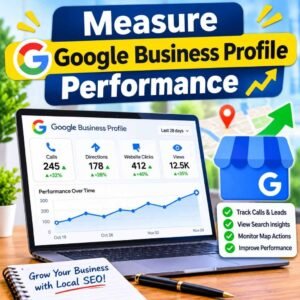
I check Google Business Profile performance to understand how people find and interact with a local business. This helps me measure customer interest beyond search rankings.
Track Profile Views and Customer Actions
I review profile views and available customer activity to see how many people discover the business through Google Search and Maps.
Monitor Calls, Website Clicks, and Directions
I track three important customer actions:
- Phone calls: How many people click the call button?
- Website clicks: How many people visit the business website?
- Direction requests: How many people request directions to the business?
I compare these numbers every month to find changes in customer activity. However, I remember that a phone button click does not always mean a completed call or a new customer.
Track Local Website Traffic
I track website traffic to understand whether Local SEO is bringing more visitors to the business website. I focus on organic search traffic and the pages that attract potential local customers.
Use Google Analytics 4
I use Google Analytics 4 (GA4) to monitor website traffic from organic search. I check how many visitors come from search engines and which pages they visit.
I also track important actions, such as phone clicks and contact form submissions, to understand visitor activity.
Monitor Google Search Console Performance
I use Google Search Console to check how the website performs in Google Search. I monitor:
- Clicks: How many people visit the website from search results.
- Impressions: How often the website appears in search results.
- CTR: The percentage of impressions that result in clicks.
- Average position: The website’s average ranking for search queries.
I review these metrics to find keywords that bring traffic and pages that need improvement.
Identify Pages Bringing Local Visitors
I check which service and location pages attract organic traffic.
For example, a plumber may receive visitors from pages about drain cleaning, emergency plumbing, and water heater repair. I compare their performance to identify which pages attract more potential customers.
This helps me improve useful pages and focus on services that generate more local inquiries.
Track Local SEO Leads and Phone Calls

I track leads to understand whether Local SEO is bringing potential customers to the business. I focus on calls, form submissions, and service inquiries.
Track Phone Calls and Form Submissions
I monitor calls and contact form submissions from the website and Google Business Profile. Call tracking and form tracking help identify which channels generate inquiries.
Measure Quote Requests and Booked Appointments
I track quote requests, appointment bookings, and service inquiries. These actions show whether visitors are interested in the business’s services.
Identify Qualified Leads
I check which inquiries come from people who need the services the business offers. Qualified leads are more valuable than general inquiries because they have a higher chance of becoming customers.
Measure Local SEO Conversion Rates
I measure conversion rates to understand how well website visitors turn into leads and customers.
Calculate Visitor-to-Lead Conversion Rate
I use this formula:
Conversion Rate = (Total Leads ÷ Website Visitors) × 100
For example, if 500 visitors generate 25 leads, the conversion rate is 5%.
Track Leads That Become Customers
I compare leads with completed sales or booked services. This helps me understand how many Local SEO leads become paying customers.
Calculate Local SEO ROI
I calculate Local SEO ROI to understand whether the campaign generates enough revenue to justify its cost.
Track SEO Costs and Customer Revenue
I track monthly SEO expenses, including service fees, tools, content, and link building. Then I compare these costs with revenue from Local SEO customers.
Measure the Value of Local SEO Leads
I calculate how much revenue comes from leads generated through local search.
ROI = (Revenue − SEO Cost) ÷ SEO Cost × 100
For example, if Local SEO costs $500 and generates $2,000 in revenue, the ROI is 300%.
Create a Monthly Local SEO Report
I create monthly reports to show whether Local SEO performance is improving and which areas need attention.
Track Important Local SEO KPIs
I include these key metrics in my report:
- Local keyword and Google Maps rankings
- Google Business Profile views and actions
- Organic website traffic
- Phone calls and form submissions
- Qualified leads and new customers
- Revenue and ROI
Compare Monthly Results
I compare current results with the previous month to identify growth or drops. This helps me understand campaign progress and decide what needs improvement.
Best Tools to Measure Local SEO Results
I use different tools to track rankings, website traffic, Google Business Profile activity, and leads.
Google Business Profile
I use Google Business Profile Performance to monitor profile views, calls, website clicks, and direction requests.
Google Analytics 4 and Search Console
I use GA4 to track website traffic and visitor actions. Google Search Console helps me monitor search clicks, impressions, CTR, and keyword performance.
Bright Local and Local Falcon
I use Bright Local to monitor local rankings and citations. Local Falcon helps me check Google Maps rankings across different locations using Geogrids reports.
Common Local SEO Measurement Mistakes to Avoid

I avoid these common mistakes when measuring Local SEO results:
- Tracking rankings only: Rankings do not always lead to calls or sales.
- Ignoring Google Business Profile actions: Profile views and customer actions help measure engagement.
- Not tracking leads: Without call and form tracking, I cannot measure actual inquiries.
- Ignoring conversion rates: More traffic does not always mean more customers.
- Not comparing monthly results: Regular comparisons help identify progress and problems.
- Ignoring lead quality: I focus on qualified leads, not just the total number of inquiries.
How to Know If Your Local SEO Campaign Is Working
I check these results to understand whether a Local SEO campaign is working:
- Better rankings: Important local keywords appear higher in search results.
- More visibility: The business appears in more relevant Google Search and Maps results.
- More website traffic: Organic visitors increase over time.
- More inquiries: Phone calls, form submissions, and quote requests increase.
- More customers: More qualified leads become paying customers.
- Positive ROI: Revenue from Local SEO justifies the campaign cost.
I compare these metrics monthly. If visibility, qualified leads, and customer revenue improve, the campaign is moving in the right direction.
Frequently Asked Questions
How Long Does Local SEO Take to Show Results?
Local SEO may take 3–6 months to show noticeable improvements. The timeline depends on competition, website quality, and the current online presence.
What Are the Most Important Local SEO Metrics?
The most important metrics include local rankings, Google Business Profile actions, organic traffic, phone calls, qualified leads, and revenue.
How Can I Track Google Maps Rankings?
I use tools like Local Falcon to check Google Maps rankings across different locations with Geogrids reports.
How Do I Track Leads From Local SEO?
I use call tracking, contact form tracking, and Google Analytics 4 to monitor inquiries from local search.
How Do I Calculate Local SEO ROI?
I subtract Local SEO costs from the revenue generated by Local SEO, divide the result by the costs, and multiply by 100.
Formula: ROI = (Revenue − SEO Cost) ÷ SEO Cost × 100
Learn more about Google Business Profile and check our Local SEO Service for more help.